
Has your once fast Xiaomi, Redmi, or POCO smartphone started feeling slow over time? Apps take longer to open, animations feel laggy, and the phone just doesn’t feel as smooth as before. The good news is that you don’t need any technical knowledge, risky tweaks, or factory resets to fix this.
There’s a simple and safe trick that can help restore your phone’s smoothness: clearing the system launcher cache.
Why Does Your Xiaomi Phone Slow Down Over Time?
As you use your phone daily, the launcher (the app that handles your home screen, app drawer, and animations) continuously stores temporary data called cache. This cache is meant to speed things up, but over time it builds up into unnecessary digital clutter.
This accumulated cache can negatively affect:
- App loading times
- Home screen and animation smoothness
- Multitasking performance
- Overall system responsiveness
- Battery efficiency
It’s important to understand that this slowdown does not mean your hardware is getting weaker. It’s purely a software-level issue and can be fixed easily.
A Universal Solution for Xiaomi, Redmi, and POCO Devices
Clearing the launcher cache is a universal solution that works on almost all Xiaomi ecosystem devices.
For Xiaomi and Redmi Phones
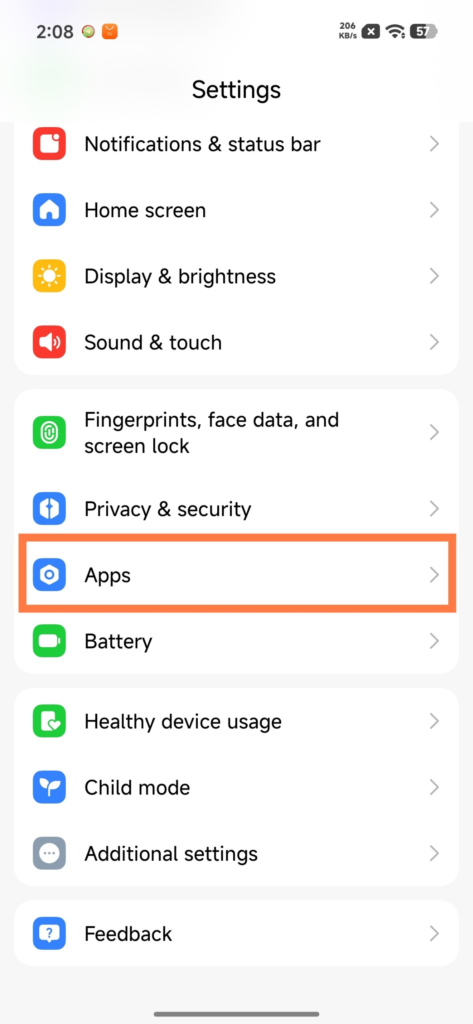
- Open Settings
- Go to Apps
- Tap on All apps
- Tap the three dots in the top-right corner
- Select Show all apps
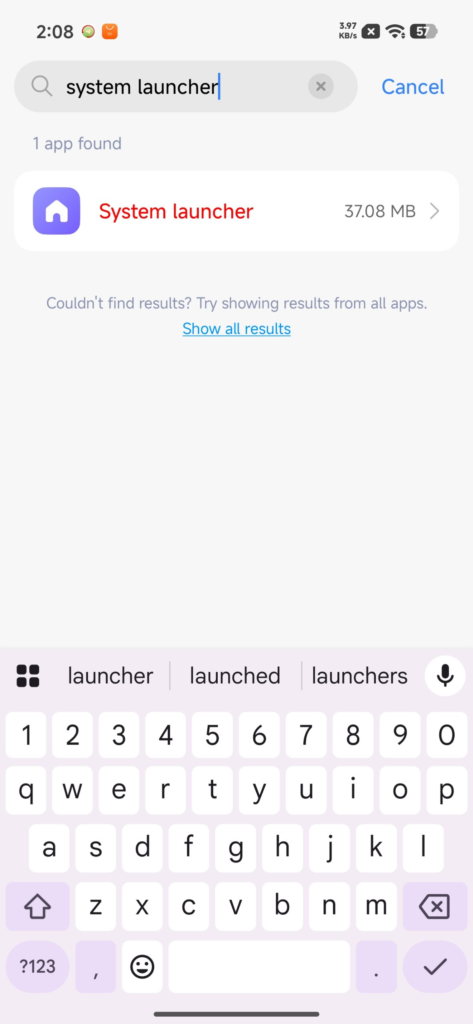
- Find System Launcher / System Shell
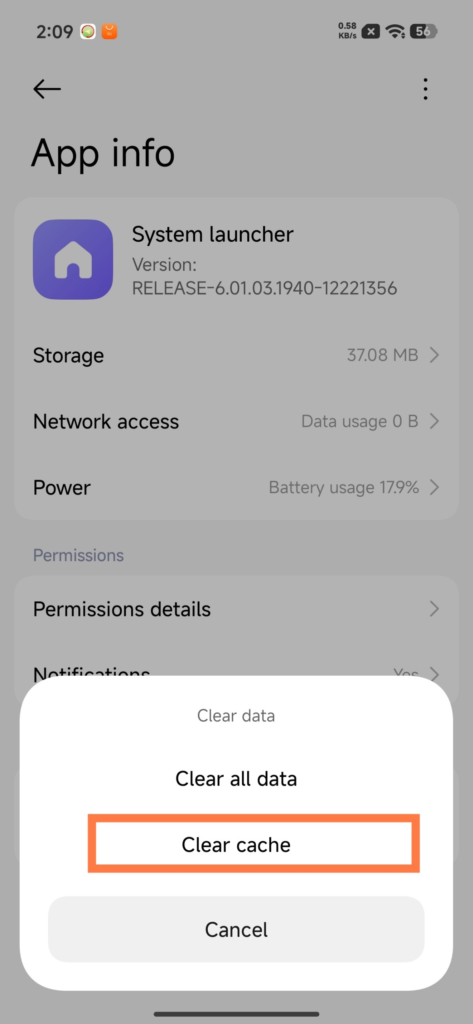
- Tap Clear
- Select Clear cache and confirm
For POCO Phones
The steps are the same, but instead of System Launcher, look for:
- POCO Launcher
Then clear the cache only (do not clear data).

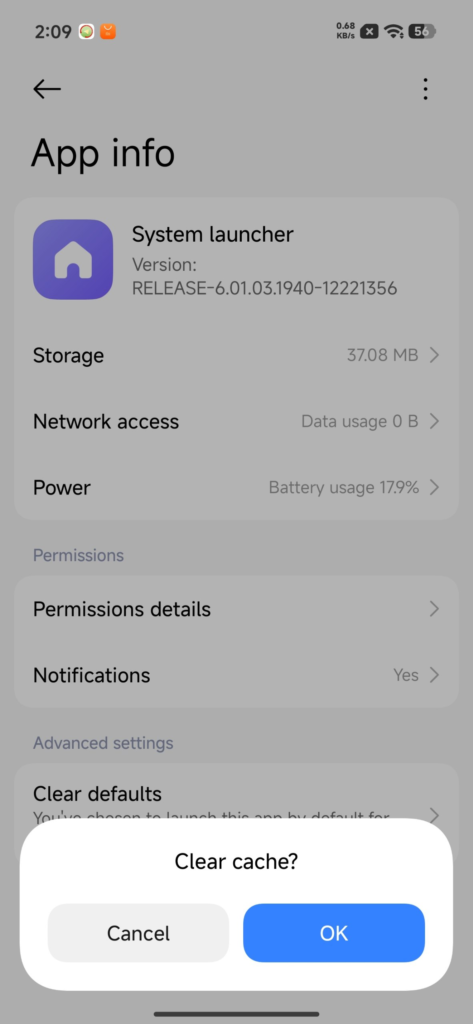
This process is completely safe and will not delete your apps, files, or settings.
Benefits Beyond Just Speed
Clearing the launcher cache doesn’t just make your phone faster. It also brings several additional benefits:
- Reduced RAM usage
- Smoother animations and transitions
- Better battery backup
- Fewer random app crashes
- Improved multitasking
- Overall cleaner and more responsive system
Many users notice an immediate difference after performing this simple cleanup.
How Often Should You Do This?
For best results, it’s recommended to clear the launcher cache once every 1–2 months. Think of it as routine maintenance for your smartphone, similar to cleaning up your PC or laptop.
If your Xiaomi, Redmi, or POCO phone feels slower than it used to, this simple launcher cache trick can make a noticeable difference in just a few minutes. It’s safe, effective, and works across most devices without any risk.
Before trying heavy solutions like factory resets or third-party booster apps, give this method a try — your phone might feel fast and smooth again.

For the latest information, join our HyperOS 3 Telegram channel for updates and XiaomiHSU for the latest System Apps.