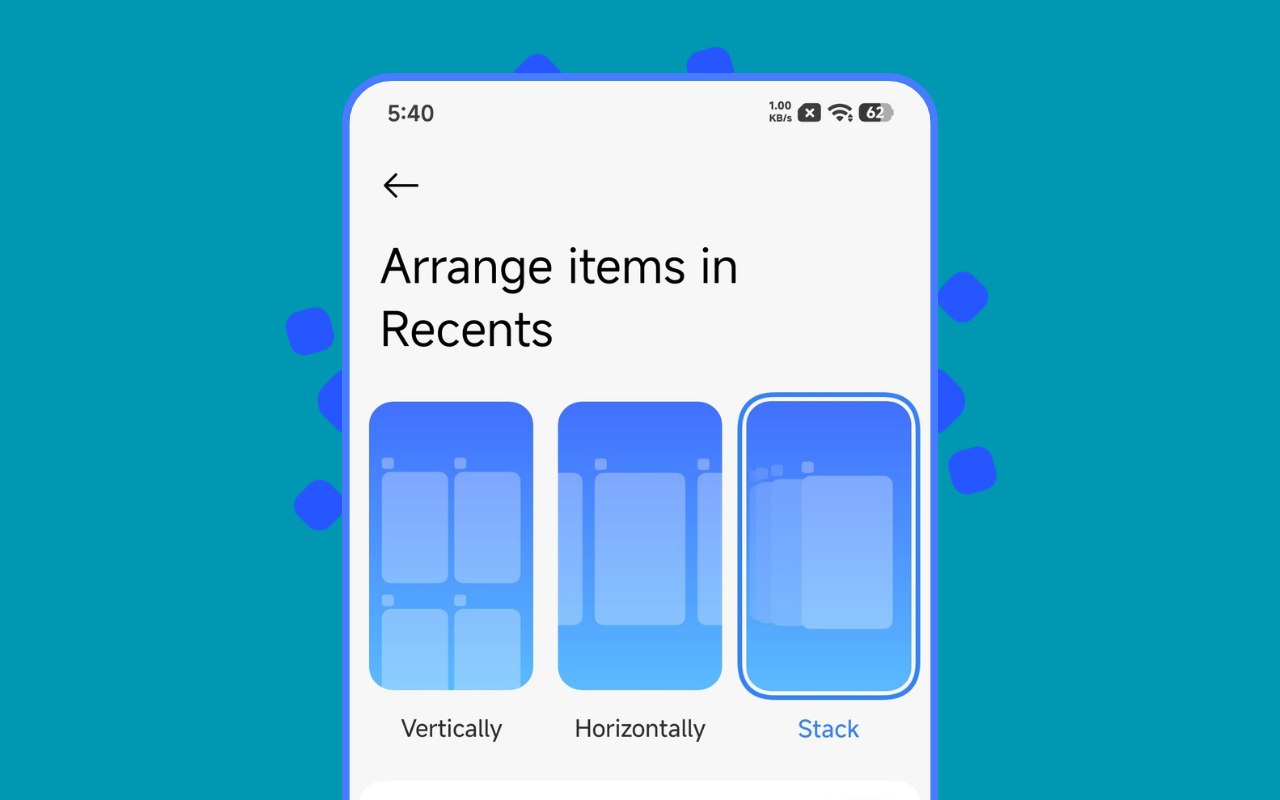

Xiaomi has finally introduced one of the most requested UI features with the latest Xiaomi HyperOS 3 update — Stacked Recents. This new recent apps layout offers a cleaner, more modern card-style view, similar to what users see on newer flagship devices.
However, there’s a catch. Xiaomi officially enabled this feature only on select models like the Xiaomi 14, 15, 17, and Turbo series through a new system launcher update. Most older Xiaomi and Redmi users were left out, even if their devices are running HyperOS 2 or HyperOS 3.
The good news is that you can still enable the Stacked Recents feature on older Xiaomi and Redmi devices by following a simple workaround. This guide explains the easiest and safest method to activate it.
Why Stacked Recents Is Not Enabled by Default
Xiaomi recently released a new System Launcher version that includes the Stacked Recents layout. Although the launcher technically works on most devices running HyperOS 2.0 or above, Xiaomi has restricted the feature to newer flagship models.
Because of this limitation, the feature does not appear in launcher settings on older Xiaomi and Redmi phones, even after installing the updated launcher.
POCO users should note that this method does not apply to them yet. Since POCO devices use a separate launcher, users will need to wait for a POCO Launcher update, which is expected around January 2026.
System Launcher Update Details
Before starting, make sure your device meets the basic requirements. Below are the details of the launcher update that enables Stacked Recents:
- Version: 6.01.03.1924
- Size: 26.5 MB
- Region: China
- Compatibility: Works on HyperOS 2.0 or above
This launcher works only on Xiaomi and Redmi devices. POCO devices are not supported at the moment.
How to Activate Stacked Recents on Xiaomi & Redmi Devices
Follow the steps carefully to enable the feature. Make sure not to skip any step.
First, download and install the latest System Launcher APK using the Mi File Manager app on your phone. Do not use third-party installers if possible.
Next, connect your phone to a Wi-Fi network. This is mandatory for the pairing process to work.
Now, open Settings > My Device and tap repeatedly (around 5–7 times) to enable Developer Options.
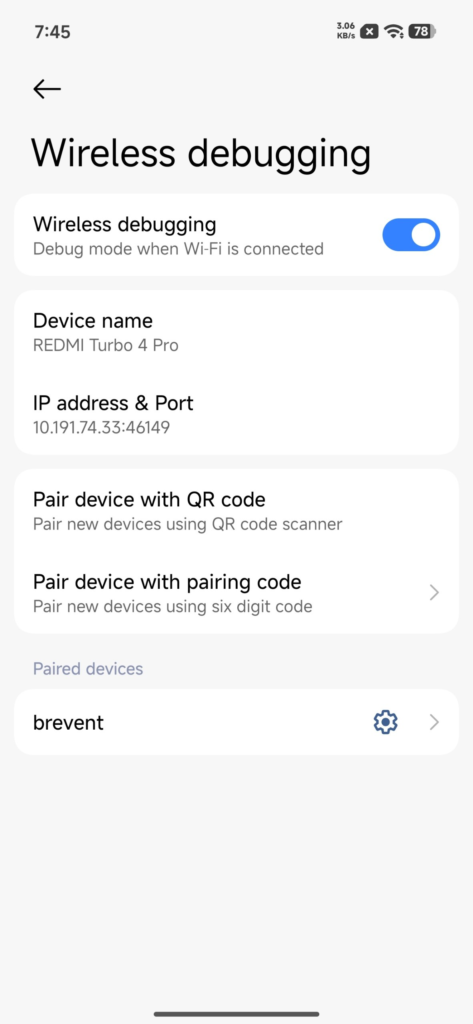
Go back to Settings > Additional Settings > Developer Options, scroll down, and turn on Wireless Debugging.
After that, download and install the Brevent app from the Play Store and launch it.
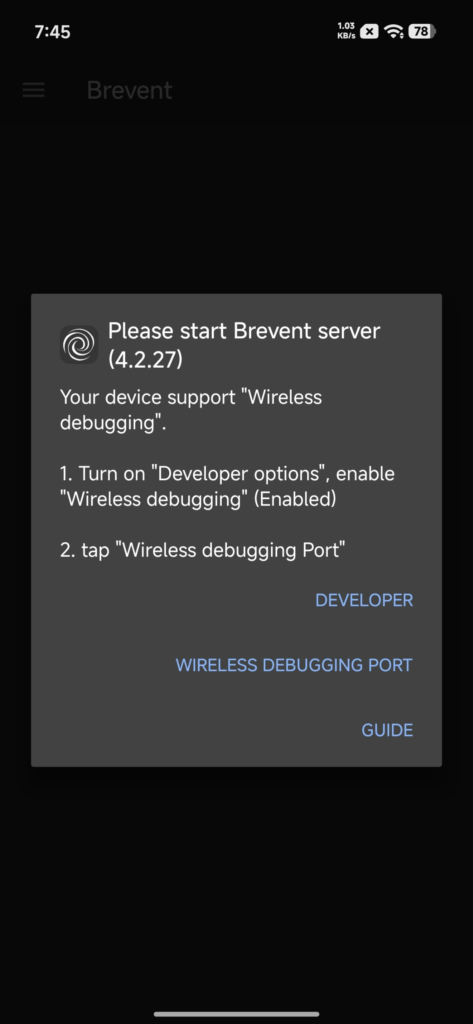
When you open Brevent, a pop-up will appear. Tap on the Wireless Debugging Port option. This will automatically open the Wireless Debugging settings page and display Brevent in floating window mode.
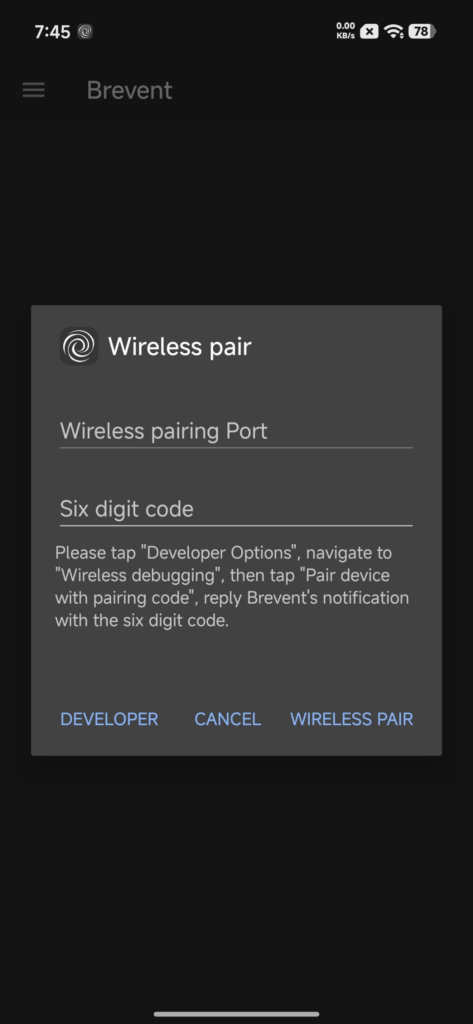
Tap on Pair device with pairing code. A 6-digit pairing code will appear on your screen. Remember this code carefully.
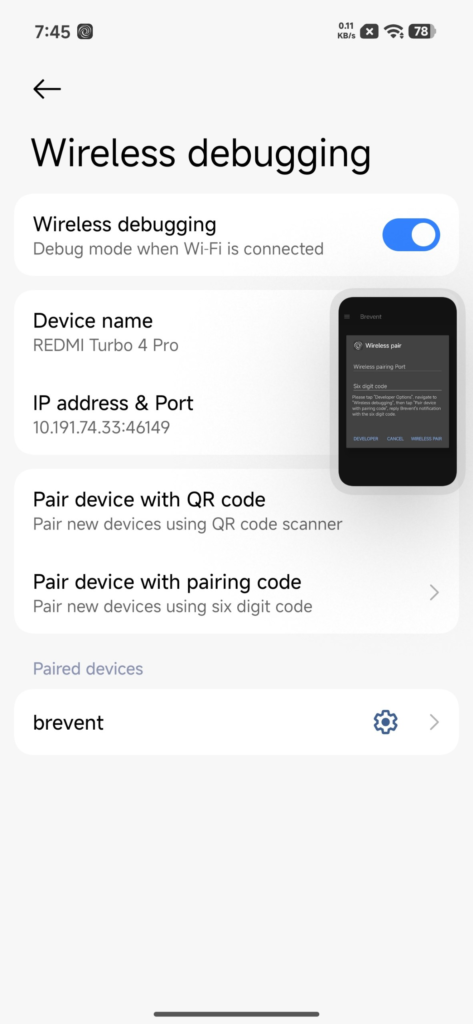
Without closing any app or settings page, expand the Brevent floating window and enter the exact pairing code. If you close the settings screen, the code will stop working.
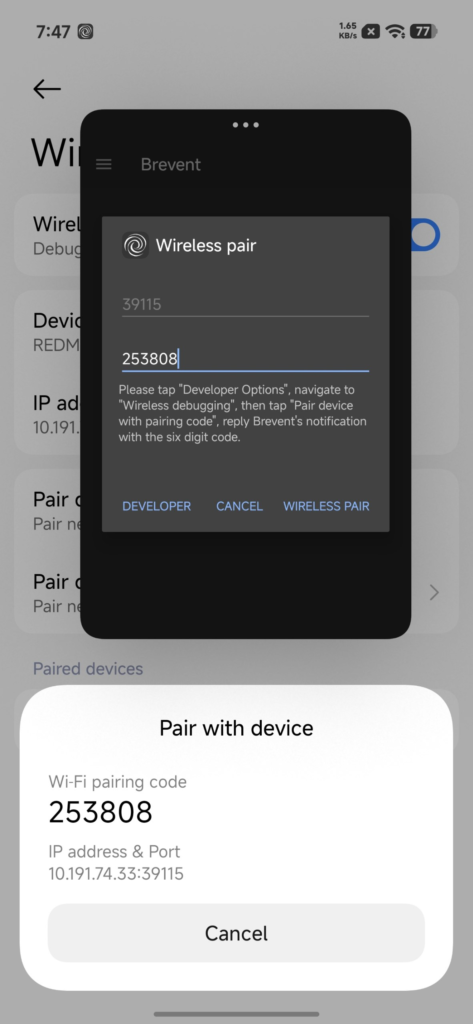
Once entered correctly, press enter. Your device will pair successfully within seconds.
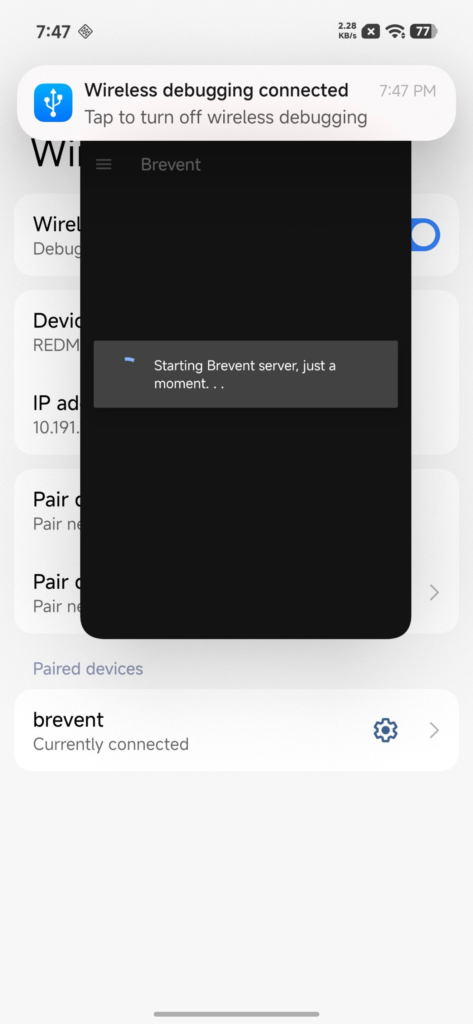
After pairing, return to the Brevent app. Open the hamburger menu and select Exec Command.

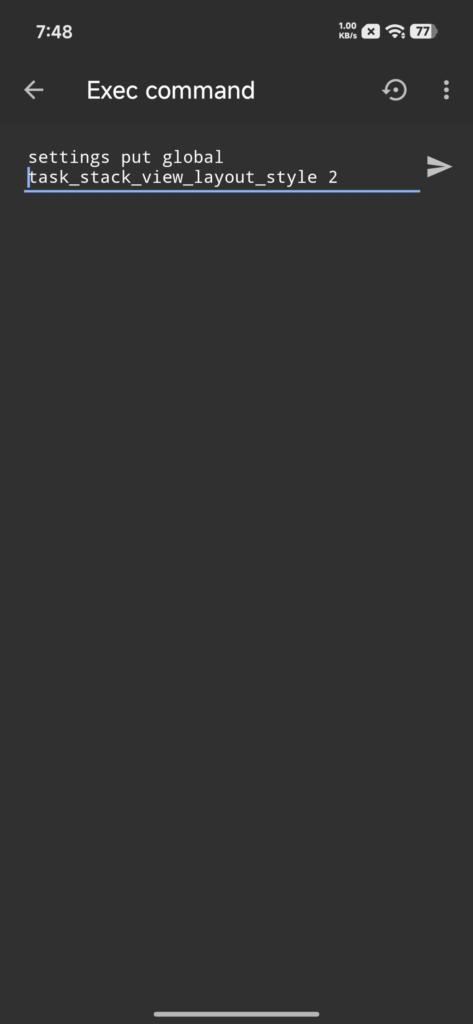
Enter the following command exactly as shown:
settings put global task_stack_view_layout_style 2
Press enter to execute the command. This will instantly activate Stacked Recents on your Xiaomi or Redmi phone.
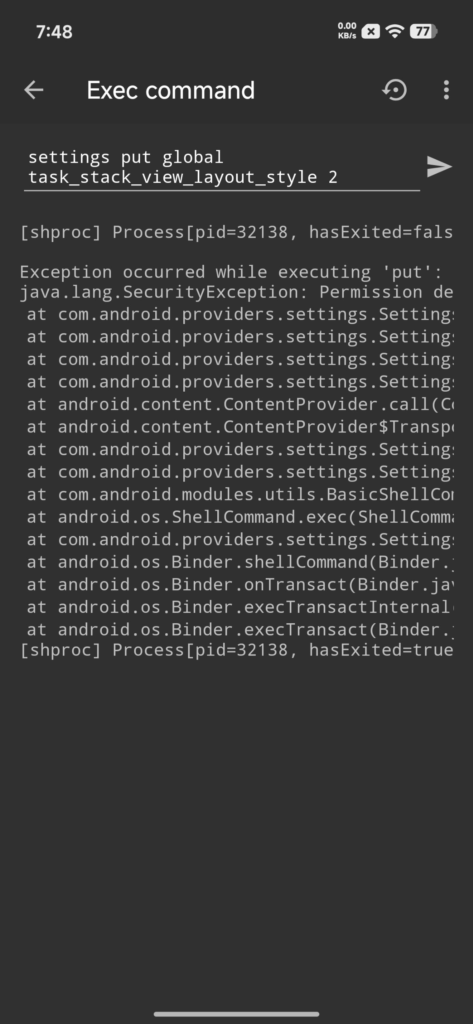
If the feature does not appear immediately, reboot your device once.
This method works reliably on Xiaomi and Redmi devices running HyperOS 2 or HyperOS 3. Since it uses official system components and a system-level command, it does not require root access.
If Xiaomi officially enables Stacked Recents for more devices in future updates, this workaround may no longer be necessary. Until then, this is the easiest way to enjoy the new recents layout on older devices.

For the latest information, join our HyperOS 3 Telegram channel for updates and XiaomiHSU for the latest System Apps.