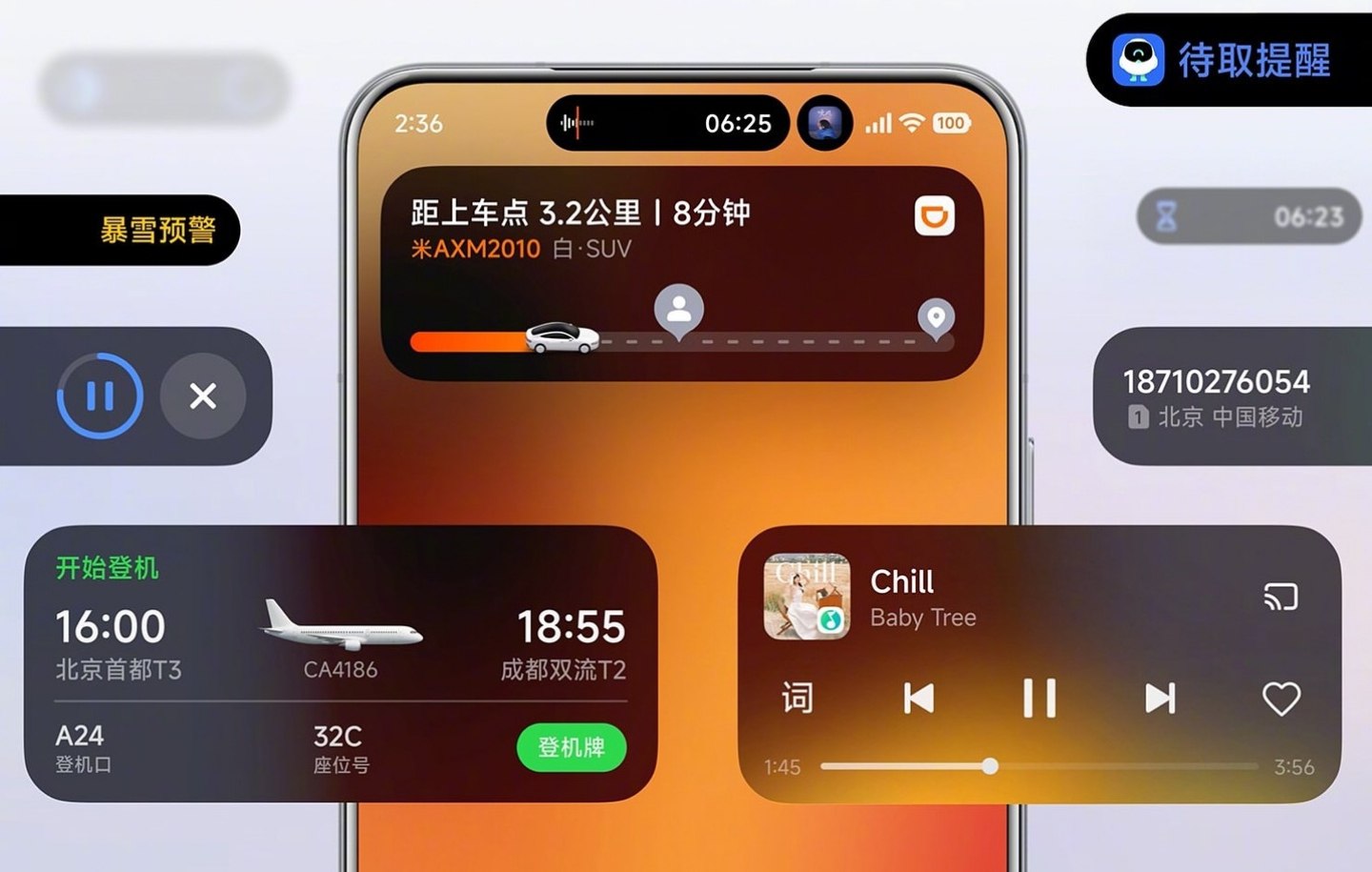

HyperOS 3 is now rolling out to supported devices, and one of its biggest highlights this year is Hyper Island. This Dynamic Island–style interface shows live activities and real-time app actions inside the pill at the top of the screen on Xiaomi phones, including Redmi and POCO devices.
However, there is one major limitation. Many popular and useful apps such as Maps, food delivery apps, and third-party music players do not support Hyper Island by default, even though they should.
Thankfully, a simple no-root solution is now available.
What Is Hyper Bridge App?
Credit goes to D4vidDf, who developed an app called Hyper Bridge. This app allows you to enable full Hyper Island support for almost any app on your device, without requiring root access.
With Hyper Bridge, you can:
- Enable third-party apps inside Hyper Island
- Use Maps, delivery apps, and music players in the top pill
- Enhance the overall Hyper Island experience
- Avoid rooting your smartphone
This significantly improves real-world usability of Hyper Island.
Requirements to Use Hyper Bridge
Before proceeding, make sure the following conditions are fully met:
- Your device must be running HyperOS 3
- Your phone must be based on Android 16
- Hyper Island feature must already be available on your device
Important Note:
This app does not unlock Hyper Island on phones running HyperOS 2 or older versions. It only enhances testing on HyperOS 3 with Android 16. We also tested it on HyperOS 2, and it does not work there.
How to Activate All Apps in HyperOS 3 Hyper Island (Step-by-Step Guide)
Follow these steps carefully:
Step 1: Download and Install the APK
Download the Hyper Bridge APK file and install it like a normal application.
Step 2: Allow All Required Permissions
Open the Hyper Bridge app and grant all required permissions for proper functionality.
Step 3: Open the App Library
After completing setup, tap on the Library section. All installed apps on your phone will be visible here.
Step 4: Enable Any App for Hyper Island
Select any app that you want to appear in Hyper Island and enable it. The selected app will now show live activity inside the top pill.
- HyperOS 3 with Android 16: Working perfectly
- HyperOS 2: Not working
This confirms that Hyper Bridge currently supports only HyperOS 3 devices.
Hyper Bridge is currently the best no-root solution to unlock the full potential of Hyper Island in HyperOS 3. If you were disappointed that Maps, music apps, or delivery apps were missing from Hyper Island, this app completely solves the limitation.

For the latest information, join our HyperOS 3 Telegram channel for updates and XiaomiHSU for the latest System Apps.


La multi tareas que se sea mas bonita
Tushar
Bende
tusharbende519@gmail.com
Evet
Hello