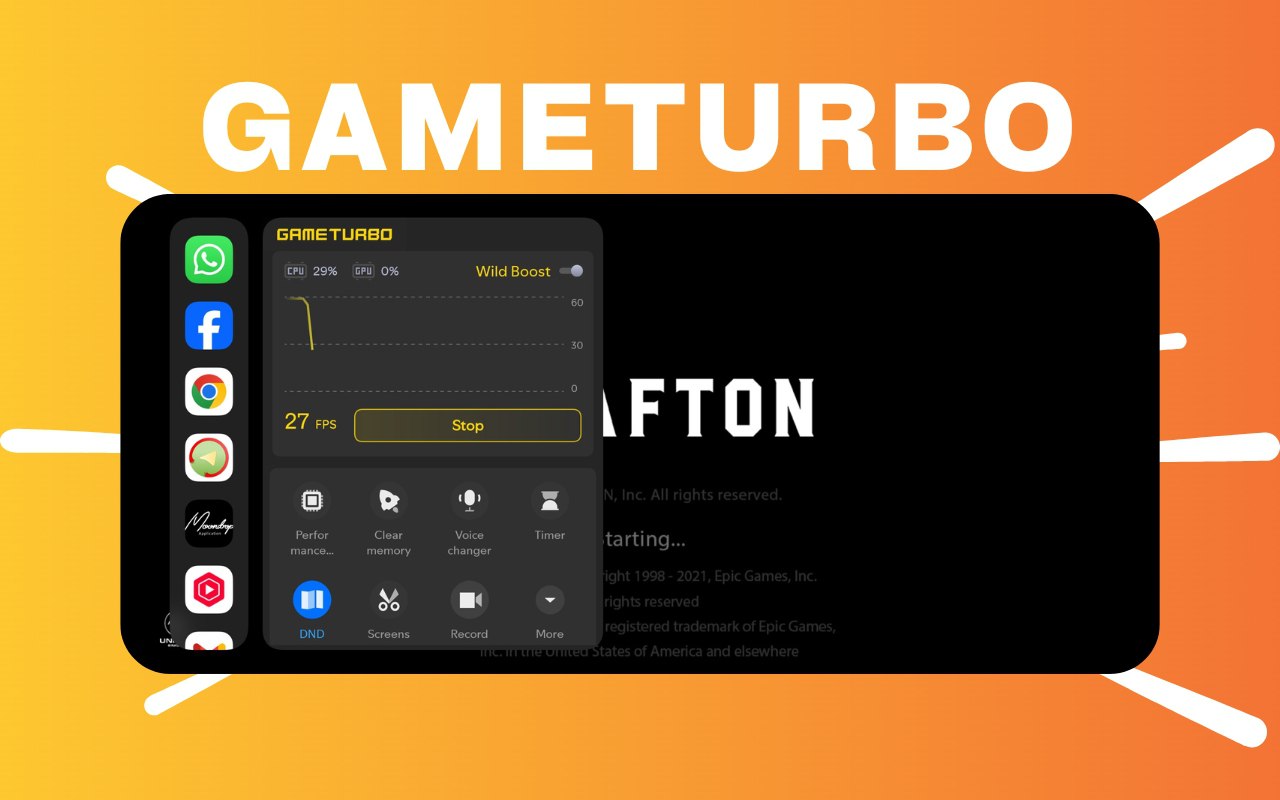

Xiaomi has started rolling out a new HyperOS 3 Security Global Update, and one of the biggest highlights of this release is the revamped GameTurbo interface. With this update, Xiaomi has redesigned the overall gaming panel to make it more modern, cleaner, and easier to use. The new look is part of the update package Version 11.8.8, which is now available for Global HyperOS devices. Users running HyperOS 2 or HyperOS 3 can install it manually.
This update mainly focuses on improving visual clarity, fixing issues, and enhancing performance within GameTurbo. The redesigned UI presents a fresh experience for Xiaomi, Redmi, and POCO users who rely on GameTurbo for gaming optimization, performance boosts, and in-game tools.
Update Information
- Version: 11.8.8
- Size: 91.3 MB
- Region: Global
- Compatibility: HyperOS 2 and HyperOS 3
- Get Access to APK via: Telegram
The update is relatively small, making it easy to install even on devices with limited storage. Being a global update, it works across different regions and device variants.
What’s New in the Updated GameTurbo?
The GameTurbo panel now offers a reworked and modern design, making navigation smoother and more intuitive. Here are the key improvements included in the update:
1. Modernized User Interface
The new UI layout improves readability and accessibility. Icons, animation flows, and menus have been refreshed to match the HyperOS design language.
2. Cleaner & Faster Controls
Game overlays such as screen recording, performance modes, and floating tools now appear in a simplified layout, reducing clutter while gaming.
3. Improved Performance
The update includes general optimizations to make GameTurbo run smoother, with faster loading, fewer glitches, and better responsiveness during intense gameplay.
4. Bug Fixes & Stability Enhancements
Several issues from previous versions have been resolved, resulting in a more stable and reliable experience across compatible Xiaomi phones.
5. Updated Version Integration
The update brings compatibility improvements for new devices and ensures better performance under HyperOS 3’s updated framework.
Why This Update Matters
GameTurbo remains an important part of Xiaomi’s gaming-focused tools. It enhances gaming performance by optimizing RAM usage, boosting CPU/GPU when needed, and providing quick access to tools like screen recording, floating windows, DND mode, and performance settings.
With HyperOS 3 focusing on smooth animations and refined system behavior, this updated GameTurbo UI aligns perfectly with the rest of the system. It gives Xiaomi users a more premium feeling while playing games such as BGMI, COD Mobile, Genshin Impact, Free Fire, and more.
How to Install the Update Manually
If the update hasn’t arrived automatically through your System Apps Updater, you can install it manually by following these steps:
- Download the APK file for Version 11.8.8.
- Open the Xiaomi File Manager on your device.
- Locate the downloaded APK and tap Install.
- Install it over your existing GameTurbo/Security app.
- Reboot the device if required.
- You’re done — the new GameTurbo UI will now be active.
Xiaomi’s decision to refresh the GameTurbo UI shows their commitment to improving user experience even through small app updates. The new design blends better with HyperOS aesthetics and provides a smoother, more modern gaming interface for all compatible devices.
If you want, I can also prepare a short Telegram announcement or a headline-style post for your social platforms.

For the latest information, join our HyperOS 3 Telegram channel for updates and XiaomiHSU for the latest System Apps.


Kartik