

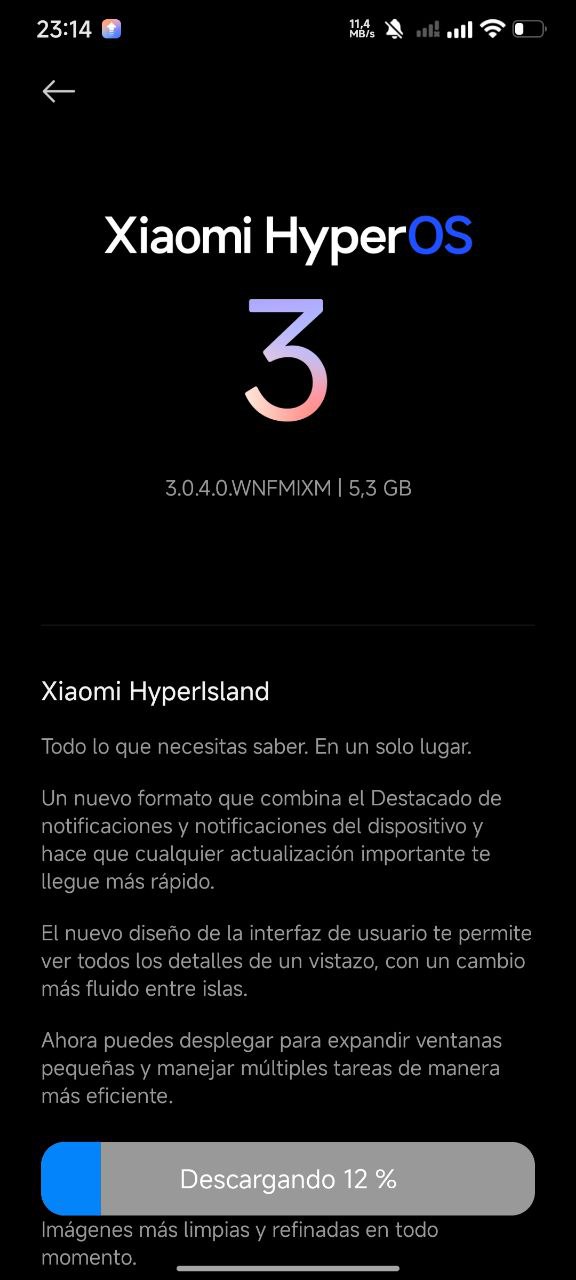
Xiaomi has officially started rolling out the HyperOS 3 public stable update for the REDMI Note 13 Pro and POCO M6 Pro, following extensive internal testing and feedback from earlier releases. This update marks a wider public rollout, making it available to all eligible users without Mi Pilot restrictions.
The new HyperOS 3 build focuses on improved system stability, smoother performance, and a refined user experience. With this release, Xiaomi aims to deliver a more polished and reliable software experience for REDMI Note 13 Pro users.
HyperOS 3 Update Details (Global)
- Device: REDMI Note 13 Pro/POCO M6 Pro
- Software: Xiaomi HyperOS 3
- Version: OS3.0.4.0.WNFMIXM
- Update Size: 5.3GB
- Release Type: Public Stable Rollout
- Region: Global
What HyperOS 3 Changes
- Smoother & more stable system with overall performance improvements
- Optimized compiler instructions for faster responsiveness and lower power consumption
- Improved memory allocation & recovery for more available system memory
- Enhanced frequency scheduling to boost efficiency and reduce battery drain
- Better short-video playback efficiency for improved battery life
- New window-rendering mechanism reduces graphics load
- Smoother animations fine-tuned across 100+ system scenes
- Improved cross-ecosystem interconnectivity, including deeper Apple ecosystem compatibility
- Advanced casting features with window extension and app-specific screen mirroring
- Cross-device unlocking using a Xiaomi tablet’s fingerprint or password
- Optimized system apps for more intuitive and responsive interactions
- Gallery upgrades with new widgets, album pinning, and faster search
- Calendar enhancements with new Week View and clearer Month View visuals
- Recorder improvements with smarter categorization and noise-reduced playback
- Stronger privacy & security with redesigned interface and post-quantum encryption
- Refreshed visual design with sharper icons, cleaner status bar, improved color comfort, and a new large-clock Lock screen
How to Check the HyperOS 3 Update
Users can manually check for the update by following the steps below:
Go to Settings → About phone → HyperOS version → Check for updates
Make sure your device has sufficient battery and storage space before downloading the update.

For the latest information, join our HyperOS 3 Telegram channel for updates and XiaomiHSU for the latest System Apps.


Redmi note 13 4g 8 raw 256GB
Когда? Обещали в декабре 25 года